

Vasyl Lukianenko

Vasyl Lukianenko
3D Artist and Technical Author
Vasyl Lukianenko is a 3D artist, educator, and technical author with a focus on practical production workflows.
He creates detailed tutorials, courses, and tools for artists who want clear steps and predictable results.
His content covers optimization, scene organization, shading, lighting, and automation for everyday work.
The main goal is simple: less routine, more quality, and faster delivery in real projects.
He creates detailed tutorials, courses, and tools for artists who want clear steps and predictable results.
His content covers optimization, scene organization, shading, lighting, and automation for everyday work.
The main goal is simple: less routine, more quality, and faster delivery in real projects.


Latest articles
Max Ultra MCP: AI can now work directly in 3ds Max
Article
Date: October 20, 2026
Date: October 20, 2026
How I use Max Ultra MCP to connect AI agents to 3ds Max, automate scene tasks, and create scripts, with practical examples and the limits of AI modeling.

ChatGPT vs Claude Code: Can AI Model an IKEA Armchair?
Article
Date: October 17, 2026
Date: October 17, 2026
Can ChatGPT and Claude Code model an IKEA armchair in 3ds Max? We compare AI modeling speed, topology, accuracy, and results using Max Ultra MCP.

Khronos Releases an Official glTF/GLB Plugin for Autodesk 3ds Max
Article
Date: July 25, 2026
Date: July 25, 2026
Level up your workflow with automatic Corona and V-Ray material conversion to glTF/GLB, round-trip editing, Draco compression, and MaxScript support.
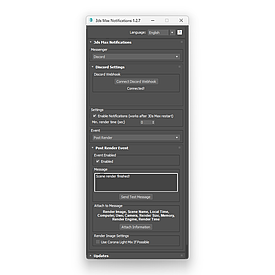
3ds Max Notifications
Manual
Date: May 28, 2026
Date: May 28, 2026
Learn how to install and configure 3ds Max Notifications. Set up render alerts for Telegram, Discord, Slack, Microsoft Teams and Google Chat, customize messages, attach render images and use the API.

Automating Architectural Visualization
Article
Date: May 18, 2026
Date: May 18, 2026
Discover how 3Ds Max scripts automate repetitive tasks in architectural visualization. Learn how tools like Prune Scene, Model Packer, and CopyTo PRO help artists save time, optimize workflows, and focus on creativity.

ChatGPT vs Gemini: AI Image Generation Comparison for ArchViz and 3D
Article
Date: May 18, 2026
Date: May 18, 2026
Comparing ChatGPT Image and Google Gemini in real ArchViz and 3D workflows: seamless textures, 360 panoramas, interiors, render editing, lighting changes, adding people, and AI image generation quality.
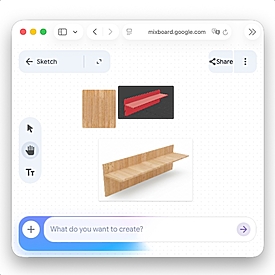
Mixboard - A Free AI Tool from Google for 3D Artists
Article
Date: March 3, 2026
Date: March 3, 2026
A detailed review of Mixboard by Google Labs for 3D artists. Learn how to use AI for interior and exterior concept creation, lighting testing, texture generation, and accelerating your 3ds Max workflow. Includes practical examples, prompts, and commercial use cases.

Automatic Installation of 3ds Max, V-Ray and Corona
Article
Date: February 18, 2026
Date: February 18, 2026
Automate the installation of 3ds Max 2022+, V-Ray 6, and Corona 11+ using a single BAT file. Perfect for studios, offices, and IT administrators who need fast, silent deployment across multiple machines or via NAS. Save time, reduce errors, and standardize your 3D software setup.

A Hidden Tool in V-Ray - Quick Denoise (VDenoise)
Article
Date: January 27, 2026
Date: January 27, 2026
Learn about VDenoise — a hidden V-Ray tool for fast image denoising. Discover how to clean noisy renders and textures, automate batch processing, and improve AO maps in seconds.
Common 3ds Max Performance Issues and How to Fix Them
Article
Date: October 1, 2025
Date: October 1, 2025
Why 3ds Max is slow and how to fix it: scene, texture, plugin and viewport optimization tips.
3Ds Max Scripts, their types, installation, and usage
Article
Date: September 18, 2025
Date: September 18, 2025
A comprehensive guide to 3Ds Max scripts covering file formats (.ms, .mcr, .mse, .mzp, .py), installation and use. Learn how MAXScript and Python scripts automate routine tasks, speed up modeling, clean scenes and simplify model packaging and scene organization.
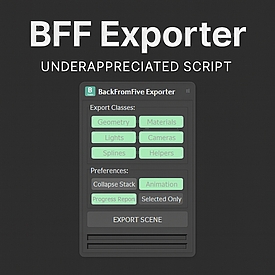
BFF Exporter for 3ds Max: An Underrated Tool
Article
Date: September 1, 2025
Date: September 1, 2025
BFF Exporter is an underrated script for 3ds Max that allows you to convert scenes to older versions of the software and fix problematic files: black polygons, ghost objects in the viewport, or a render that refuses to start.

3D GROUND - scripts for 3ds Max, MaxScript courses and guides for 3D professionals
Article
Date: July 17, 2025
Date: July 17, 2025
Learn what 3D GROUND is – a platform with 3ds Max scripts, MaxScript courses, and articles for 3D artists, archvisualizers, and VFX specialists.

Corona 12 Models Crash 3ds Max in Older Versions
Article
Date: June 2, 2025
Date: June 2, 2025
Corona Renderer 12 models crash 3ds Max in older versions. Learn how to fix the issue and safely prepare your 3D scenes for clients and stock sites.

How will the new image generation in ChatGPT help the 3D industry?
Article
Date: April 8, 2025
Date: April 8, 2025
Discover how ChatGPT’s new image generation feature can impact the 3D industry. Real-world examples, comparisons, and practical use cases of AI in 3D artists’ workflows.
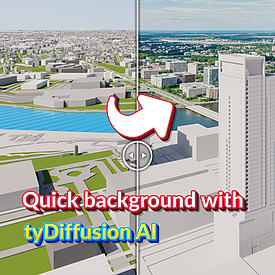
Fast generation of a realistic background with the help of tyDiffsion AI
Article
Date: October 30, 2024
Date: October 30, 2024
Learn how to use tyDiffusion and AI tools to create realistic backgrounds in 3ds Max. A step-by-step guide to integrating AI into the rendering process and tips for optimizing scenes to speed up your work.

New MaxScript Virus: Spy CA
Article
Date: September 25, 2024
Date: September 25, 2024
SPY CA virus in 3ds Max: detection, impact on the system and methods of protection. Find out how to remove the virus and protect your projects.
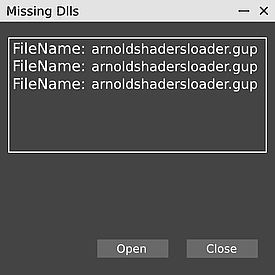
Error arnoldshadersloader.gup in 3Ds Max
Article
Date: July 22, 2024
Date: July 22, 2024
How to avoid the arnoldshadersloader.gup error for the Arnold plugin in 3Ds Max.
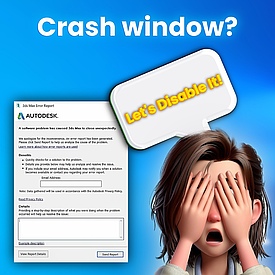
How to disable crash error reporting in Autodesk 3Ds Max
Article
Date: April 4, 2024
Date: April 4, 2024
How to disable the annoying Send Error Report window in 3Ds Max? This window will no longer distract you.
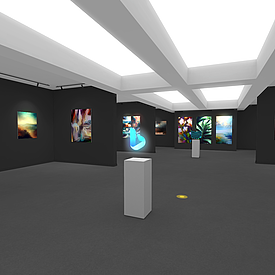
Creating an interactive 3D portfolio gallery
Course
Date: August 25, 2023
Date: August 25, 2023
We will create a 3D web gallery using WebGL technology, namely the Playcanvas service. It's an unusual way to showcase your creative work. We will also need knowledge of Autodesk 3Ds Max and basic skills in Photoshop/Photopea.
Please send a private message to Patreon to be added as a member of an already completed project on Playcanvas, so it will be more convenient for you to study the project, copy assets and scripts!
Here are some of the features we'll be working on:
* Dynamic loading of large portfolio images to improve project loading speed in the browser.
* Moving around the scene using the Point And Click method, i.e. moving when clicking to a specific location on the floor.
* Smooth animation of the dashboard.
* Soundtrack for the infobar.
* And much more.
You will also have access to scripts written by me for 3Ds Max, which allow you to speed up the saving of models for Playcanvas, as well as adapt images to different picture formats.
Please send a private message to Patreon to be added as a member of an already completed project on Playcanvas, so it will be more convenient for you to study the project, copy assets and scripts!
Here are some of the features we'll be working on:
* Dynamic loading of large portfolio images to improve project loading speed in the browser.
* Moving around the scene using the Point And Click method, i.e. moving when clicking to a specific location on the floor.
* Smooth animation of the dashboard.
* Soundtrack for the infobar.
* And much more.
You will also have access to scripts written by me for 3Ds Max, which allow you to speed up the saving of models for Playcanvas, as well as adapt images to different picture formats.
MaxScript Basic
Course
Date: August 22, 2023
Date: August 22, 2023
In this series of lessons, I will try to explain very simply, in simple words, how to quickly start writing code, and most importantly, we will consider simple examples and quickly achieve results.
We will learn the basic concepts and fundamentals of programming. We will cover such important topics as: variables, loops, arrays, data types, functions and much more.
And at the end of this course, we will create our own script to randomize the transformation of objects, using a stack of books as an example.
What you’ll learn:
- Understanding how scripts are structured, types, launching, saving.
- Basic programming principles: variables, loops, arrays, functions.
- Writing your own simple scripts. Lots of application and automation examples.
- How to understand errors in code, where to look for information.
- Writing your first script to randomize the transformation of objects.
Are there any course requirements or prerequisites?
- You must have 3Ds Max 2011 or higher installed.
Who this course is for:
- Gain basic programming skills for 3Ds Max using the built-in MaxScript language!
- You will learn to write simple scripts, as well as understand other people's code.
- We'll cover basic programming concepts, from variables to functions.
We will learn the basic concepts and fundamentals of programming. We will cover such important topics as: variables, loops, arrays, data types, functions and much more.
And at the end of this course, we will create our own script to randomize the transformation of objects, using a stack of books as an example.
What you’ll learn:
- Understanding how scripts are structured, types, launching, saving.
- Basic programming principles: variables, loops, arrays, functions.
- Writing your own simple scripts. Lots of application and automation examples.
- How to understand errors in code, where to look for information.
- Writing your first script to randomize the transformation of objects.
Are there any course requirements or prerequisites?
- You must have 3Ds Max 2011 or higher installed.
Who this course is for:
- Gain basic programming skills for 3Ds Max using the built-in MaxScript language!
- You will learn to write simple scripts, as well as understand other people's code.
- We'll cover basic programming concepts, from variables to functions.
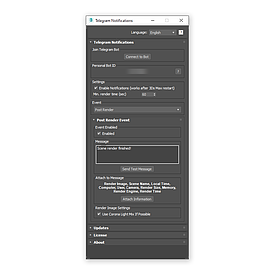
Telegram Notifications
Manual
Date: May 11, 2023
Date: May 11, 2023
Telegram Notifications - a script that allows you to send messages about the end of the render in 3Ds Max directly to Telegram using a special bot.

Help in translating scripts
Manual
Date: September 15, 2021
Date: September 15, 2021
Do you want the script to be in your language? Help with translation with handy tools.
CopyTo Pro
Manual
Date: August 18, 2021
Date: August 18, 2021
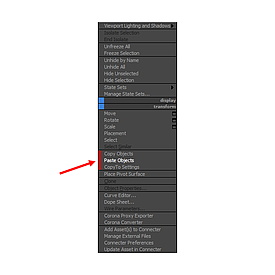
Script for copy and paste objects between scenes and 3Ds Max windows. How to use and more info about CopyTo PRO script.
Model Packer
Manual
Date: February 18, 2021
Date: February 18, 2021
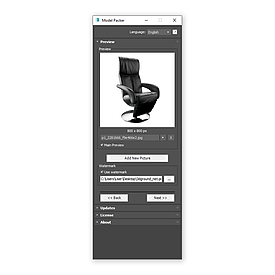
Model Packer helps you quickly create an archive of your 3D model without leaving 3Ds Max.
Paste Ref Image
Manual
Date: August 16, 2019
Date: August 16, 2019
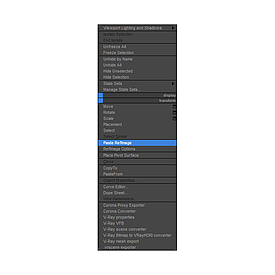
Paste Ref Image helps to quick create planes with images in 3Ds Max.
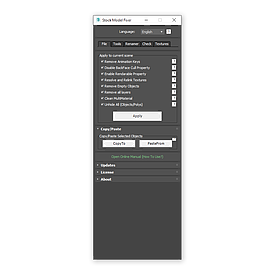
Stock Model Fixer
Manual
Date: September 6, 2018
Date: September 6, 2018
With this script you can quick prepare model, downloaded from 3D stocks, before merge into your main scene.
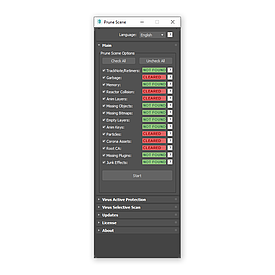
Prune Scene
Manual
Date: August 12, 2016
Date: August 12, 2016
Prune Scene the best cleaner for Autodesk 3Ds Max. How to use and more info about script. Original full manual!
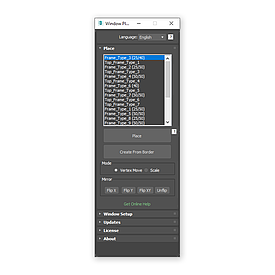
Window Placer
Manual
Date: February 12, 2015
Date: February 12, 2015
This script is used for quick placement of windows in 3Ds Max scene.
Sponsored content


© 3D GROUND. All rights reserved 2026.
Site build 34.