

Try free Stock Model Fixer - save time with fix stock models




Stock Model Fixer
Stock Model Fixer is indispensable when using models from 3ddd/3dsky, cgtrader, greatcatalog and other resources.
Please update to new version 1.6.7!
In new version added:
- Multilanguage interface
- Updated UI (colors, images, text)
- Added HiDPI icons for new 3Ds Max
Also made many fixes and improvements. For details read Changelog
No Version dependency for licenses (read in detail below)!
Support PayPal payment method!
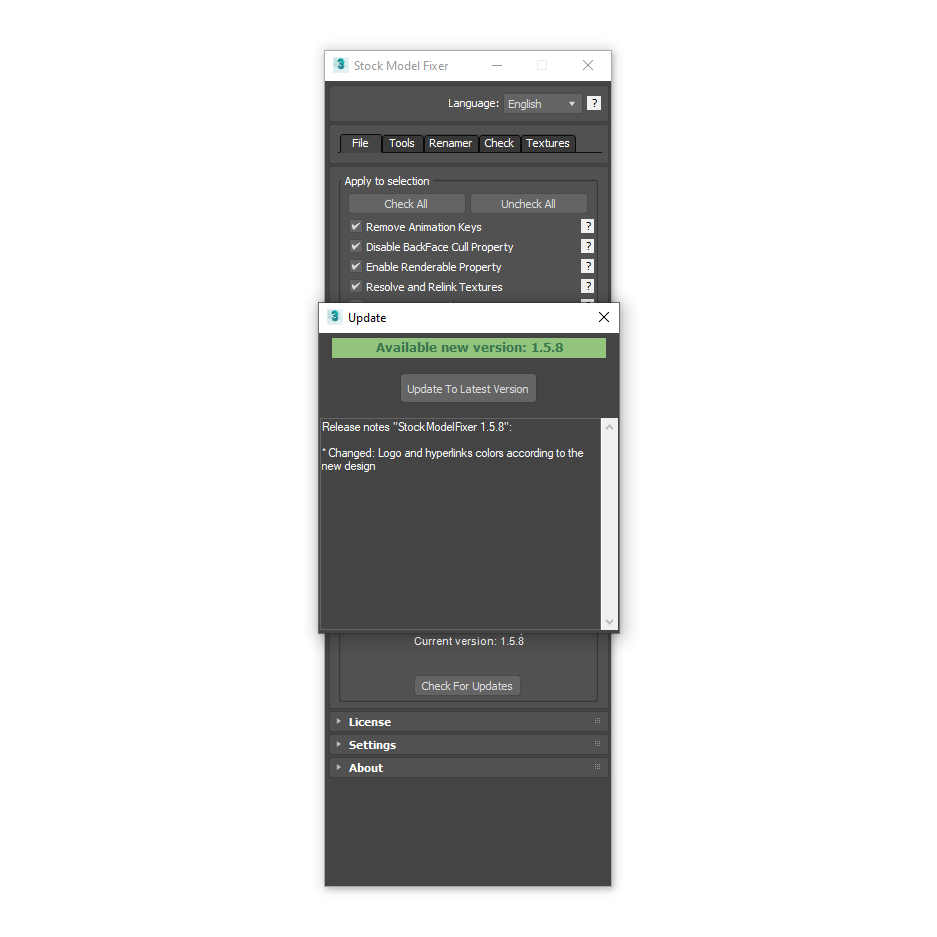
If you have license key you can get updates for free by clicking Check For Updates!
Good news for everyone! From version 1.3.0 removed version dependency.
This means that if you want to buy a license or already have it, you will receive lifetime updates of script, and also your key will work permanently!
In future all scripts on 3DGROUND will be shareware and will have permanent license.
Now you can buy any license and enjoy full support and new updates always.
Features:
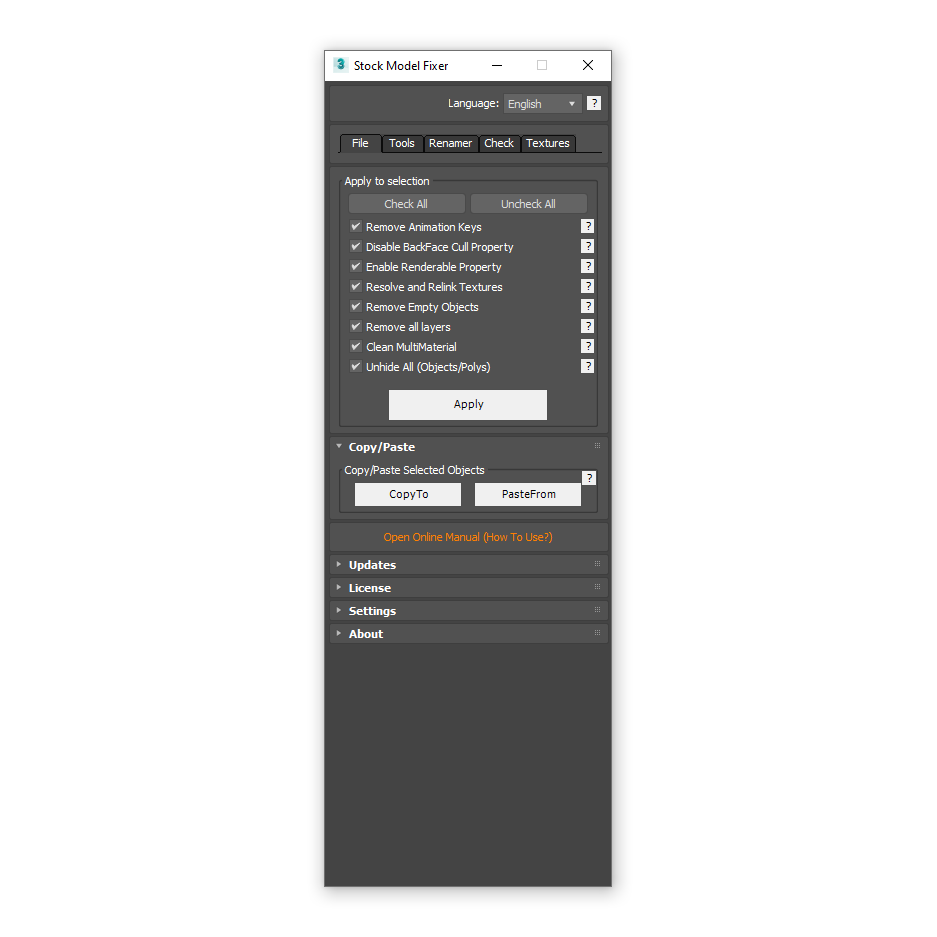
- Remove animation keys
- Disable BackfaceCull property
- Enable Renderable property
- Resolve and Relink textures
- Remove empty objects
- Remove layers
- Clean MultiMaterial
- Unhide all objects/polys
- Instant copy/paste selected model between 3Ds Max windows (different versions)
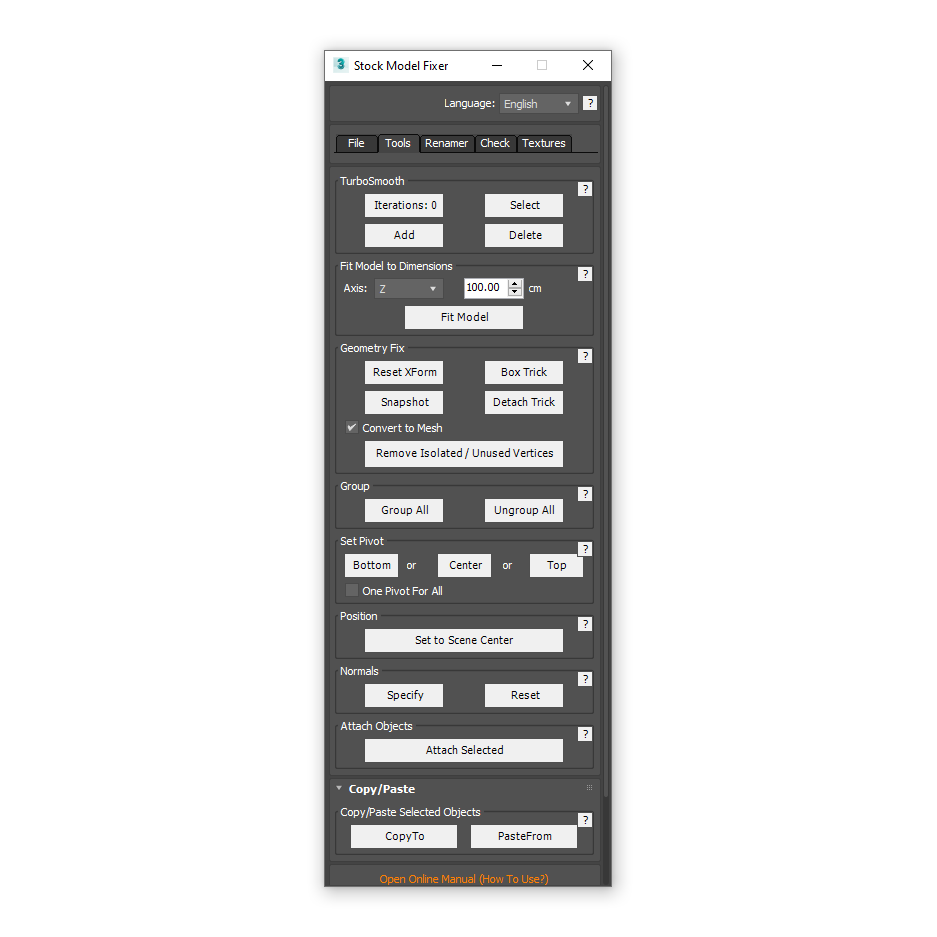
- Work with TurboSmooth (Add, Remove, Select, Iters. to 0)
- Fit model to dimensions
- Geometry fix (Reset XForm, Detach Trick, Box Trick, Snapshot)
- Group/Ungroup
- Fast set pivot
- Move model to center scene
- Attach selected objects
- Fix normals
- Rename: textures, materials, objects, groups
- Check for errors (xView, AssetTracking, Clay Mode)
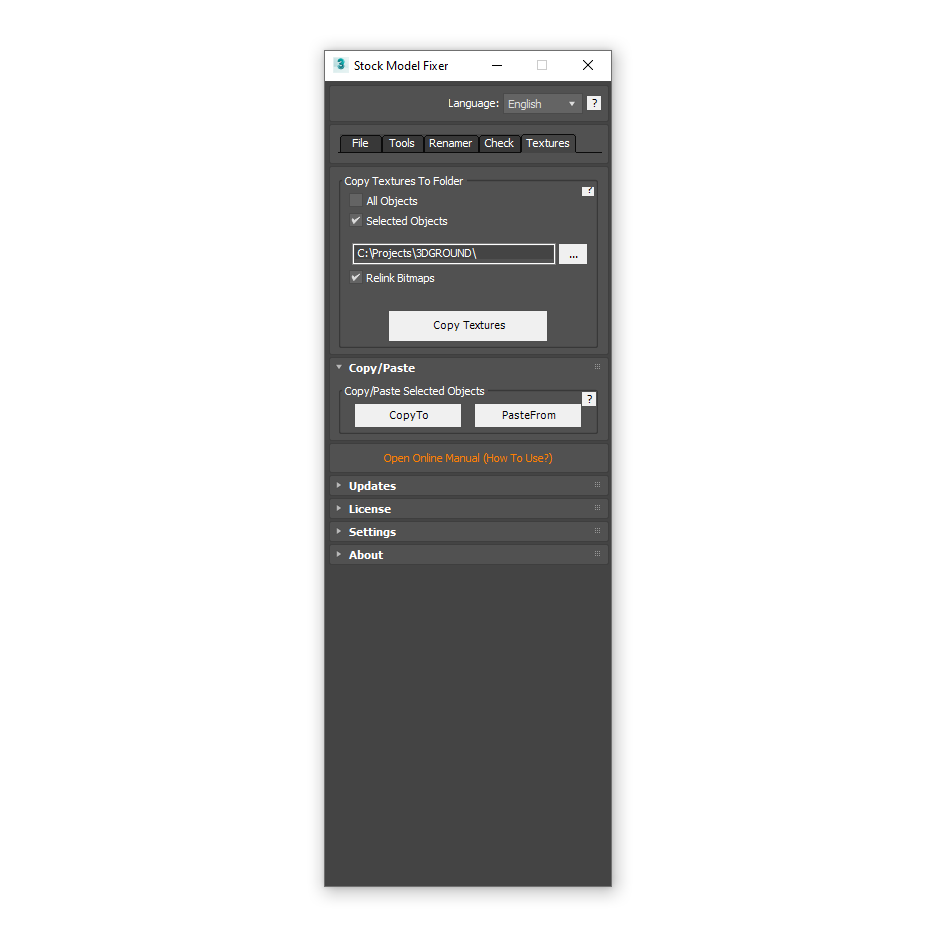
- Copy textures in to project folder
- Automatic updater
- Hints and tooltips
- Multilanguage interface
How To Use:
Unzip the model you downloaded from anywhere on the hard disk.
Make sure that you have extracted all the files and textures of the model.
It is most recommended to open two 3Ds Max windows, one with your scene, the other for preparing the model.
- Create a new scene and open the model then click the Apply button in the File tab in the Stock Model Fixer, so all the options from the "Apply to current scene" are applied.
- In the Tools tab it is necessary to do BoxTrick, DetachTrick, Snapshot, Reset XForm of your model, to fix the broken geometry.
- In the Textures tab, select the Texture Path to your project (Copy Textures To Folder) and click Copy Textures. All model textures will be transferred to a new location.
- Copy and paste the model using CopyTo/PasteFrom.
- Well done!
Important!
If some feature not working (ex.: Texture Renaming), just run 3Ds Max from Administrator!
In Stock Model Fixer a lot of tools for optimising and preparing the models, for more details read full manual!
Read Full ManualYou can use license key maximum on 2 computers (Home and Work).
Your license will work permanent and you receive lifetime updates!
{{key}} {{value[0].date}}
-
{{v.text}}
{{key}}
- {{v.text}}
FAQ
1. What is Stock Model Fixer?
2. What is Stock Model Fixer used for?
3. What types of problems can Stock Model Fixer fix?
4. Why do stock models sometimes display incorrectly?
5. Can Stock Model Fixer repair smoothing artifacts?
6. Can I use Stock Model Fixer on models received from clients?
7. Do I need to manually find the cause of the problem?
8. What repair methods are available in the script?
9. Can one repair method work better than another?
10. Do I need to understand the technical cause of the problem?
11. Is Stock Model Fixer suitable for architectural visualization?
12. Can Stock Model Fixer save time?
13. Is it safe to use Stock Model Fixer in production projects?
14. Does the script only work with imported models?
15. Does Stock Model Fixer support the latest versions of Autodesk 3ds Max?
16. Is Stock Model Fixer easy to learn?
17. What is included with the Stock Model Fixer license?


{{comment.text}}